 mingo
mingoDelete your account in three taps
Open your profile
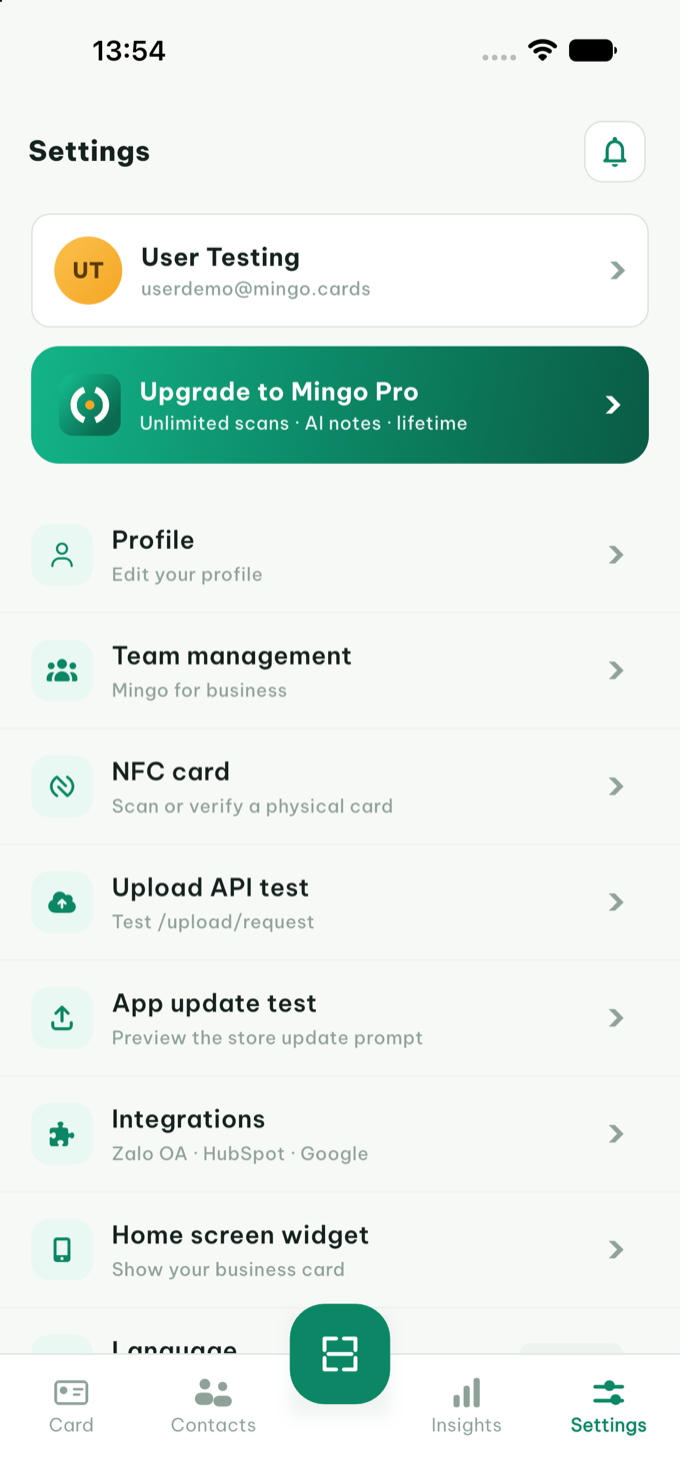
In the Mingo app, go to Settings → Profile ("Edit your profile").
Tap Delete Account
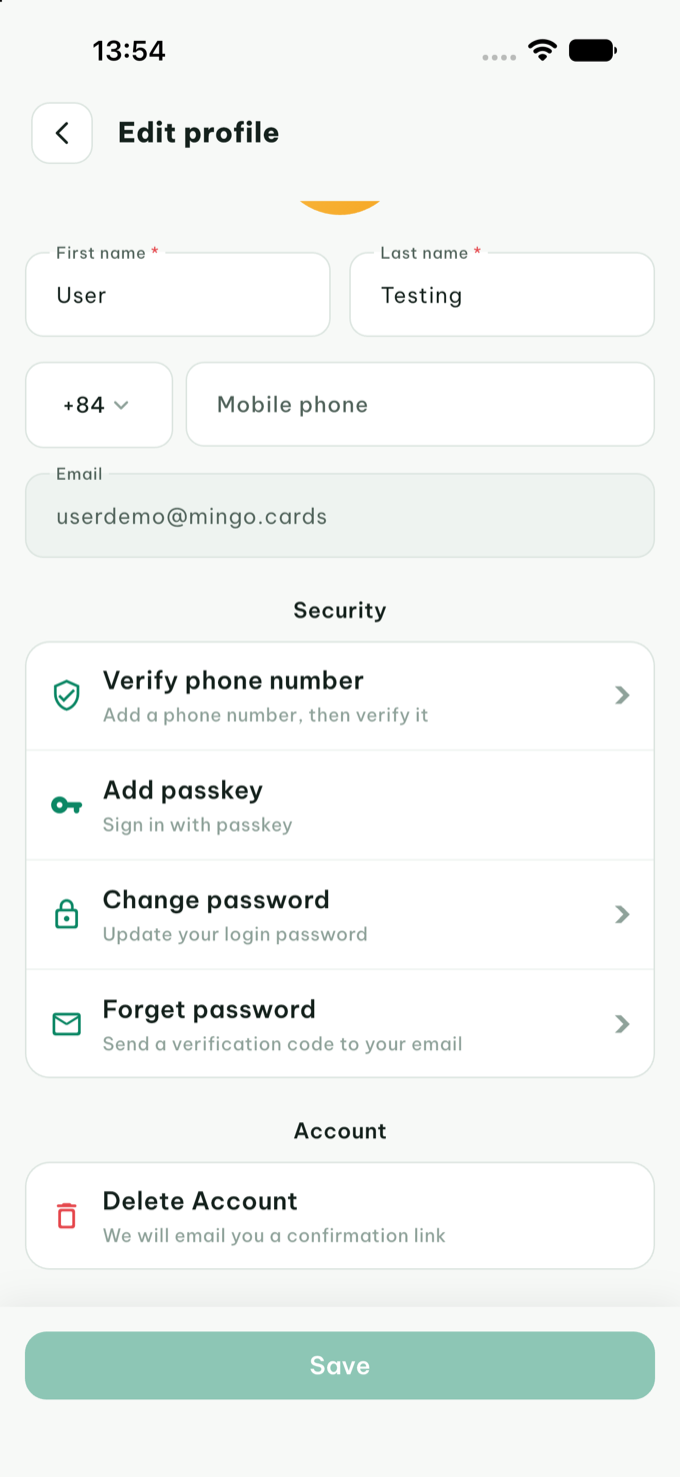
Scroll to the Account section at the bottom and tap Delete Account. We'll email you a confirmation link — deletion never happens by accident.
Confirm — twice, for safety
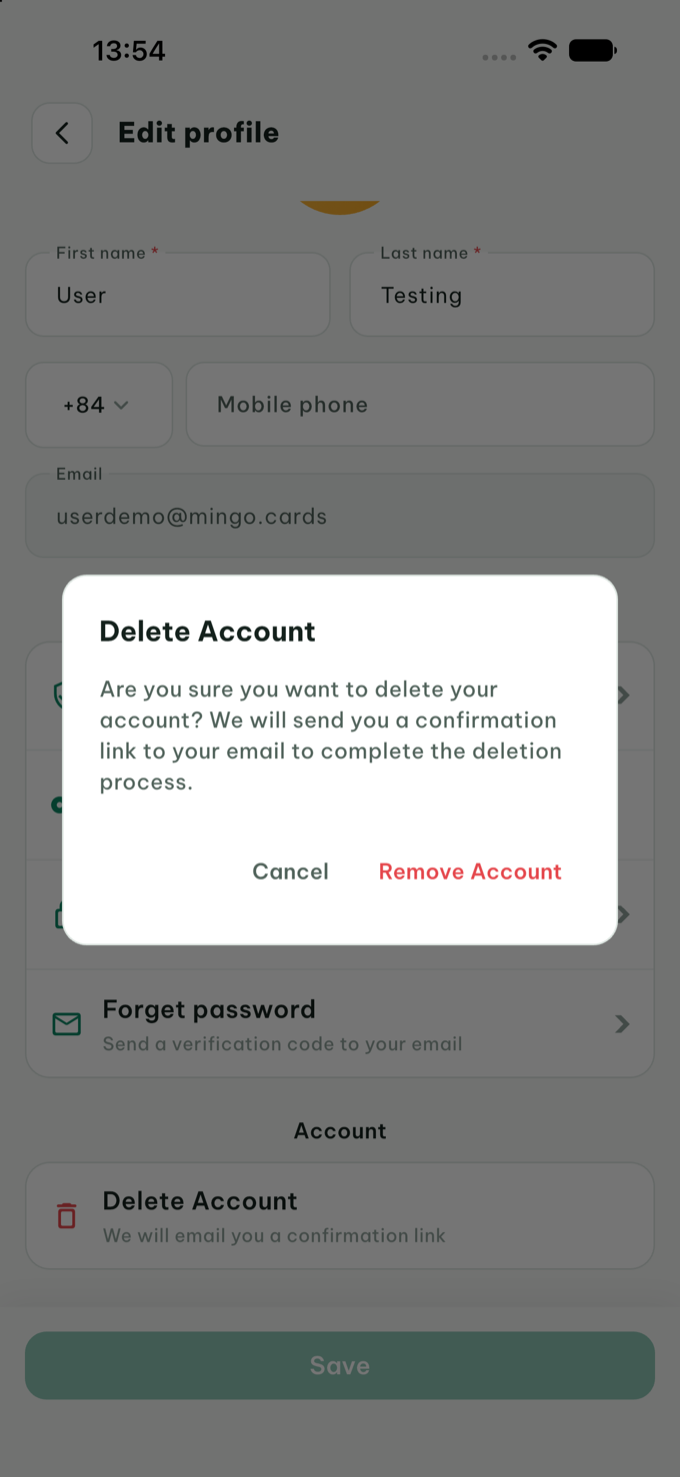
Tap Remove Account in the dialog, then open the confirmation link we send to your email. Once you confirm there, your account is scheduled for deletion.
What happens to your data
🗑️ Deleted
- Your account and sign-in details
- Your digital cards (links and QR codes stop working)
- Captured contacts, scans, notes, tags, and reminders
- Your card analytics
Removed from production systems within 30 days of confirmation; backup copies expire on a rolling schedule shortly after. See our Privacy Policy.
📦 Before you go
Your contacts are yours to keep — export them first from the app (Contacts → export), because they can't be recovered after deletion. Aggregated, non-identifying statistics may be retained as described in the Privacy Policy.
📱 Can't access the app?
You can request deletion without the app: email privacy@mingo.cards or support@mingo.cards from the email address on your account, with the subject "Delete my account". We'll verify it's you and confirm when deletion is complete.
❓ Not sure yet?
If something isn't working, we'd love the chance to fix it first — support is one tap away in the app. You can also just sign out or remove the app; your account only gets deleted when you ask for it.